![logo-type_black 2.svg]](https://help.collaboard.app/hubfs/logo-type_black%202.svg)
Image Export formats
You can export your whiteboard as an image in the following formats:
-
PNG
-
JPEG
-
WEBP
-
TIFF
-
SVG (Enterprise subscription required)
Image Export Settings
-
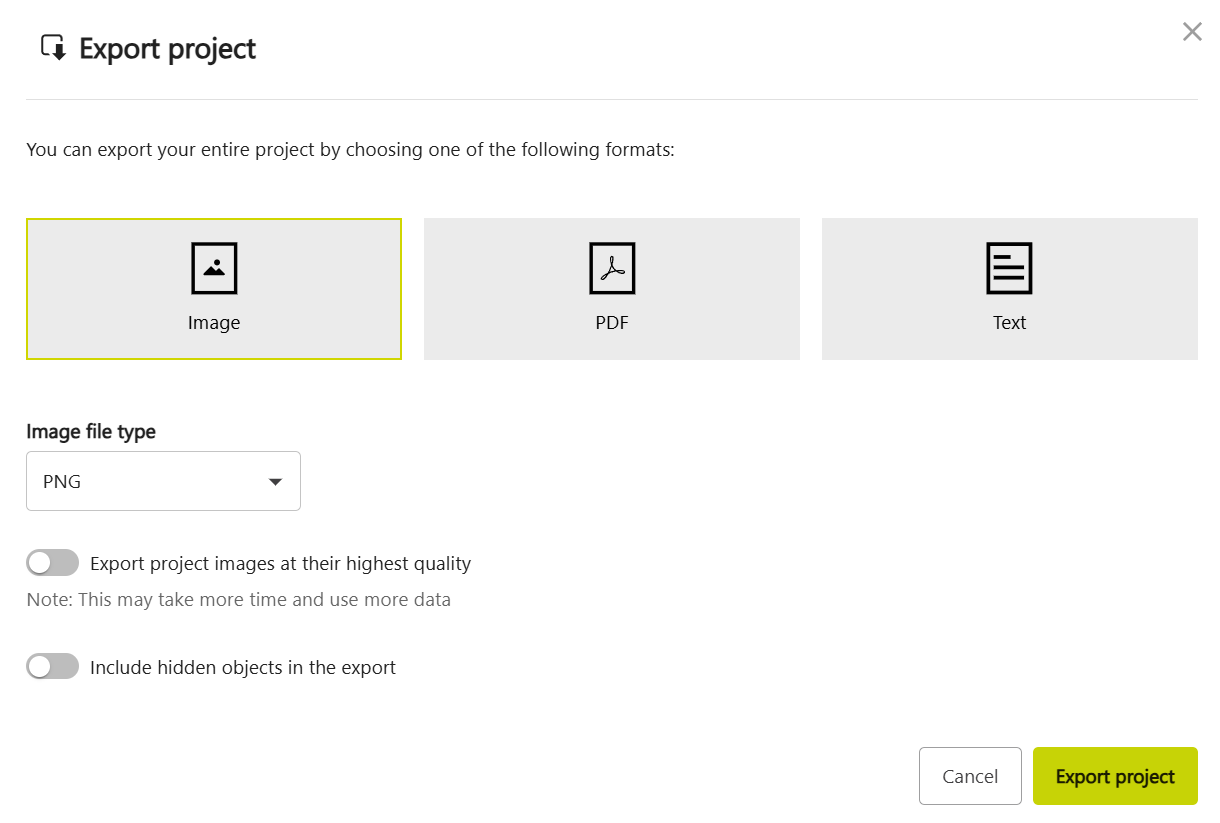
When exporting as an image, you can choose between standard and highest quality.
-
You can also decide whether hidden objects should be included in the export.
Tip: For large boards with many elements, high-quality images can become several megabytes in size. If details are still hard to read, export selected areas instead of the entire whiteboard.
How it works
-
Open the export menu.
-
Select Image as the export type.
-
Choose the image file format from the dropdown.
-
Enable or disable the available options (for example quality level or including hidden objects).
-
Click Export project.